AP Exams Go Digital in 2026: What You Need to Know
AP Exams Go Digital in 2026: What You Need to Know If you're taking an AP exam this May, you're not filling in bubble sheets. Most AP exams now run through Coll...
Key Takeaways
- College Board splits AP exams into two digital categories.
- Bluebook runs on your own laptop (Mac or Windows), an iPad, or a school-managed Chromebook.
- The content is the same, but the experience is different.
- College Board offers free test previews inside the Bluebook app.
- The shift to digital doesn't change what College Board tests or how they score it.
Ready to Boost Your AP Grade?
Our AP AP tutors work with students at every level — whether you're aiming to move from a 4 to a 5 or pushing for that final jump to a 7. We'll match you with someone who understands the AP AP syllabus inside out. Find your tutor →
Frequently Asked Questions
How far in advance should I start exam revision?
Begin structured revision at least 6-8 weeks before your exams. Start with a review of all topics, then focus increasingly on weak areas and past paper practice as the exam approaches.
For more on this topic, explore our guide on Ib Assessments 101 What You Need to Know to Ace the Exams.
What is the best revision technique for IB exams?
Active recall (testing yourself) and spaced repetition are the most effective techniques. Combine these with past paper practice under timed conditions for the best results.
How do I manage exam anxiety?
Practice relaxation techniques like deep breathing, maintain a regular sleep schedule, and build confidence through thorough preparation. Remember that some anxiety is normal and can actually improve performance.
How many past papers should I complete before exams?
Aim to complete at least 3-5 full past papers per subject under timed conditions. Review your answers against mark schemes carefully — understanding where you lost marks is more valuable than doing more papers.
If you're taking an AP exam this May, you're not filling in bubble sheets. Most AP exams now run through College Board's Bluebook testing app — the same platform used for the digital SAT. For some subjects, the entire exam is on-screen. For others, you'll answer multiple-choice questions digitally but handwrite your free-response answers in a paper booklet.
The format change doesn't affect what's tested. Same content, same skills, same scoring. But it does change how you interact with the exam, and students who practice in Bluebook before exam day have a real advantage over those who open the app for the first time under pressure.
Here's what the digital format means for your specific exam and how to prepare for it.
If you're looking for a structured approach to AP AP, working with a tutor who's been through the AP system can make a real difference — especially when it comes to exam technique and time management. Tell us what you need help with →
Two Formats: Fully Digital vs. Hybrid Digital
College Board splits AP exams into two digital categories. Knowing which one applies to your subject matters because the testing experience is different.
For more on this topic, explore our guide on Things No One Will Tell You About What to Expect at University Part Ii.
Fully Digital Exams
In a fully digital exam, everything happens in Bluebook. You read the questions on screen, answer multiple-choice questions on screen, and type your free-response answers directly into the app. Your responses are automatically submitted when time expires.
Subjects in this category include AP English Language, AP English Literature, AP US History, AP World History, AP European History, AP Government (US and Comparative), AP Psychology, AP Human Geography, AP Environmental Science, AP Seminar, and AP Research, among others.
If you're taking one of these, your typed FRQ responses need to be legible and well-organized on screen. Practice typing essays under timed conditions — not just writing them by hand.
Hybrid Digital Exams
In a hybrid exam, you complete the multiple-choice section in Bluebook but handwrite your free-response answers in a paper booklet. You can view the FRQ questions on screen while writing your responses on paper.
This format applies to AP Calculus AB, AP Calculus BC, AP Physics 1, AP Physics 2, AP Physics C (both Mechanics and E&M), AP Chemistry, AP Biology, AP Statistics, AP Precalculus, AP Macroeconomics, and AP Microeconomics.
If you're in a STEM subject, you're almost certainly in this category. The hybrid format exists because these exams require handwritten work — equations, diagrams, graphs, and mathematical derivations that would be impractical to type.
What Bluebook Looks Like on Exam Day
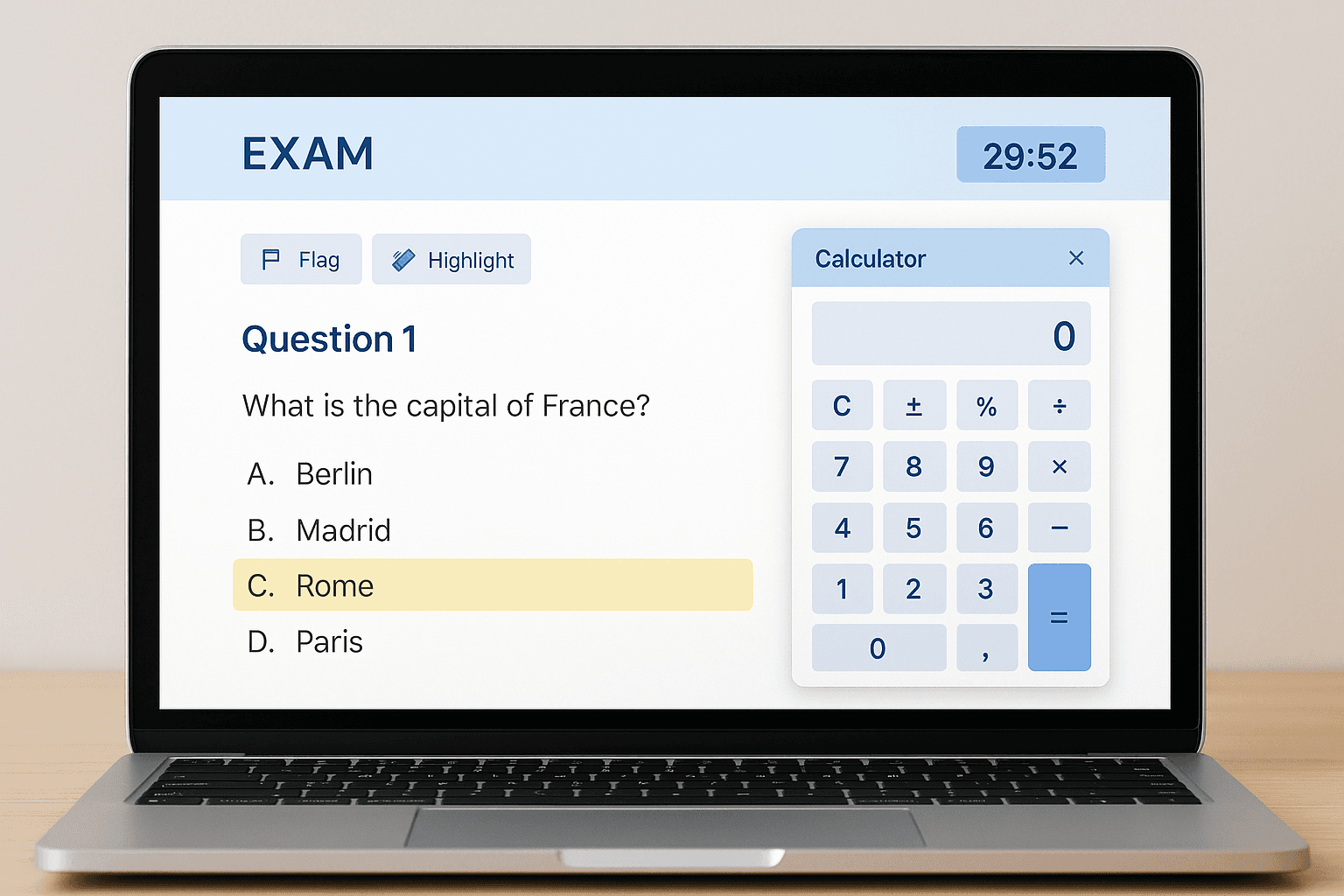
Bluebook runs on your own laptop (Mac or Windows), an iPad, or a school-managed Chromebook. You'll download the app before exam day and use it to check in, access the exam, and submit your responses.
Tools Available in Bluebook
Timer: A countdown clock is visible throughout the exam. You can hide it if it causes anxiety, but most students find it helpful for pacing.
Highlighting and notes: You can highlight text in reading passages and leave yourself notes. This is especially useful for long stimulus-based questions in history, English, and social science exams.
Flagging: You can flag questions to come back to later. This works exactly like bookmarking — flag the ones you're unsure about, then revisit them if you have time at the end of the section.
Built-in Desmos calculator: For exams that allow calculators, a Desmos graphing, scientific, or basic calculator is embedded directly in Bluebook. You don't need to bring your own graphing calculator for most subjects. The exception is AP Statistics — Desmos doesn't currently have the statistical tools required, so you'll still need your own calculator for that exam.
Reference sheets: For subjects that provide formula sheets or reference tables (like AP Physics 1 or AP Chemistry), these are accessible on-screen during the MCQ section. During the FRQ section of hybrid exams, you'll receive a physical copy.
Equation editor: For fully digital exams that require math notation, Bluebook includes an equation editor with symbols, superscripts, subscripts, and formatting tools. If your exam requires this, practice with it before exam day — typing "∫₀¹ x² dx" under time pressure is not something you want to figure out live.
Five Things That Change With Digital Testing
The content is the same, but the experience is different. Here's what actually matters:
You might also find these guides helpful: Analyzing the Hardest Physics Questions in Ib Exams Key Insights and Ap Physics 1 in 2026 What Changed and How to Score a 5.
1. Reading on Screen Feels Different
Reading a 600-word historical document on a laptop screen is not the same as reading it on paper. You can't physically point to words, fold pages, or angle the text. Your posture is fixed, and screen fatigue is real during a three-hour exam.
What to do: Practice reading long passages on screen. Use the highlighting tool to mark key phrases as you read — this replaces the underlining you'd do on paper. If your eyes get tired, use Bluebook's zoom feature to increase text size slightly.
2. Scratch Paper Logistics
For hybrid exams, you'll be switching between looking at the screen (for MCQs and FRQ prompts) and writing on physical paper (for FRQ answers). This back-and-forth can feel disruptive if you're not used to it.
What to do: Set up your practice space to mirror exam conditions. Put your laptop in front of you, scratch paper to the side, and practice switching between screen and paper. Build this into your study routine so it feels natural by May.
3. No Going Back Between Sections
In most digital AP exams, once you finish a section and move forward, you cannot return to it. This is different from paper exams where some students would try to sneak back to an earlier section.
What to do: Use the flag feature within each section to mark questions you want to revisit. Solve what you can, flag the rest, and come back before the section timer runs out.
4. Your Device Matters
Bluebook runs on Mac, Windows, iPad, and school-managed Chromebooks. A 13-inch laptop screen gives you less reading space than a full test booklet, and a slow device can add frustration.
What to do: Make sure your device meets the system requirements well before exam day. Charge fully. Close all other apps. If your school provides devices, test Bluebook on that specific device at least once. If you're using your own laptop, run the exam day readiness check in the Bluebook app.
5. Automatic Submission
When time expires, Bluebook automatically submits your responses. There's no "are you sure?" prompt. If you're mid-sentence on an FRQ, whatever you've written up to that point is what gets scored.
What to do: Build in a buffer. For fully digital exams, stop typing new content with 2 minutes left and use that time to review what you've written. For hybrid exams, make sure your paper FRQ answers are legible and complete before the final minute.
How to Practice in Bluebook Before Exam Day
College Board offers free test previews inside the Bluebook app. These aren't full-length exams, but they let you explore the interface, try the tools, and get comfortable with the format.
Step 1: Download Bluebook from the College Board website or the App Store. Sign in with your College Board account.
Step 2: Select "AP" as your test type, then choose your specific exam from the dropdown menu.
Step 3: Run through the test preview. Try every tool — highlighting, flagging, the calculator, the equation editor (if applicable), and the zoom function.
Step 4: Do at least two full timed practice sessions using Bluebook and physical scratch paper, mimicking your actual exam format (fully digital or hybrid). The goal is zero surprises on exam day.
Students who skip this step consistently report feeling flustered in the first 10-15 minutes of the real exam. That's 10-15 minutes of lost focus during the section that sets the tone for your score.
Additional practice tip: If you're taking a hybrid exam, set up your practice environment exactly as it will be on exam day. Laptop open in front of you, scratch paper and pencil to your right (or left), and a physical formula sheet if your subject provides one. Run through a full timed section switching between the screen for questions and paper for written responses. The students who score highest aren't just prepared for the content — they've rehearsed the physical workflow so thoroughly that the format becomes invisible.
The Bottom Line
The shift to digital doesn't change what College Board tests or how they score it. AP Calculus AB still has 45 MCQs and 6 FRQs. AP Physics 1 still covers kinematics through fluids. AP English Language still requires rhetorical analysis essays. The content is identical to what it would be on paper.
What changes is the delivery. And the students who practice with the delivery before May — who know how to highlight on screen, flag questions, use the built-in calculator, and manage the screen-to-paper switch — start the exam with confidence instead of confusion.
Want help preparing for the digital AP exam format? Our AP tutors run practice sessions using the Bluebook interface and can help you build the technical fluency alongside the content knowledge.
Related: AP Physics 1 Formula Sheet | AP Physics 1 in 2026: What Changed