Inside an Online IB Lesson: How Our Virtual Classroom Works
What actually happens in a ++tutors online IB lesson: the classroom we teach in, why every session is recorded, and how your student uses the recording, transcript and summary to revise.
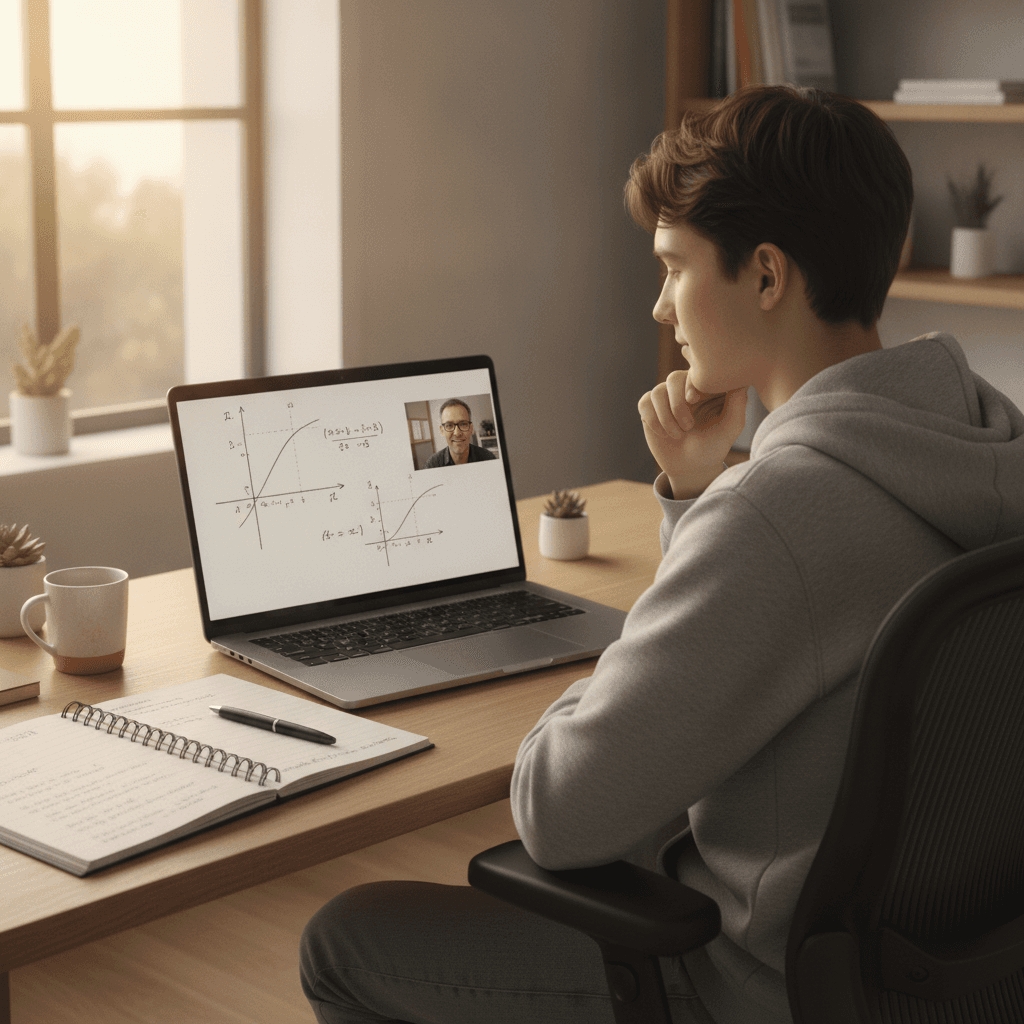
Parents ask us the same question in different words: "What does an online IB lesson actually look like?" Fair question. A video call with a PDF on screen is not a lesson, and if that is what your student has had before, their scepticism about online tutoring is earned. This post walks through a ++tutors lesson from booking to the week after, so you know exactly what you are paying for and what your student should be getting out of it.
Key Takeaways
- Our online lessons run in a purpose-built classroom, Lessonspace, not a general video-meeting app. The whiteboard, the documents and the maths tools sit inside the lesson, and the room stays the same from week to week.
- Every session is recorded. The recording replays the whole board, not just a video of two faces, so your student can go back to the exact minute a method was explained.
- A transcript and a written summary follow each recorded lesson, which turns tutoring into revision material rather than a memory.
- You do not need to install anything. The join link in the booking confirmation opens the classroom in a browser on a laptop, tablet or phone.
Before the lesson: one link, no setup
Once a session is booked, the confirmation carries a join link for that lesson's room. There is no account to create for your student and no software to install. The link opens in a browser and drops them into the classroom with their tutor. Younger students and less technical parents find this the single biggest relief compared with juggling meeting IDs and passcodes.
If you are still deciding whether online is right for your child, our guide to online IB tutoring and whether it works covers the evidence. This post is about what the lesson itself looks like.
The classroom: a shared board, not a shared screen
We teach in Lessonspace, a classroom built for tutoring rather than for meetings. The difference matters most in the subjects IB students most often need help with:
- Mathematics AA and AI. Tutor and student write on the same board at the same time. A built-in graphing calculator sits beside the whiteboard, so a function can be sketched, checked and annotated without leaving the lesson. The tutor can watch the student work a problem line by line and step in at the exact line where the method goes wrong.
- Sciences. Diagrams, mechanisms and data tables are drawn and labelled together. A past paper can be dropped into the room as a PDF and marked up on the spot, page by page.
- Essay subjects. A draft can be opened in the room and worked through paragraph by paragraph, with the tutor's comments written next to the text rather than described out loud.
Screen sharing still exists for the moments it is useful, such as showing a marking scheme or an examiner report. The point is that the default is a workspace both people can write in, which is what a lesson at a kitchen table would have been.
The room stays the same all year
Each tutor-and-student pairing has its own room. Everything written on the board, every document uploaded and every page of annotated past paper stays there between lessons. Week six can start with "let's look back at the integration by parts page from week two" and the page is simply there. For a two-year Diploma course, that continuity is worth more than any single feature.
Recordings that replay the board
Every ++tutors session is recorded. In a meeting app, a recording is a video of the call. In our classroom, the recording replays the room itself: the board strokes, the documents, the pointer, in sync with the audio. Your student can scrub back to the exact moment a method was explained, pause on a worked example and try the next one themselves.
We recommend a simple routine: within 48 hours of the lesson, rewatch the parts that felt shaky, then attempt one similar question without the recording. That is where the learning consolidates, and it is why we treat recordings as part of the lesson rather than a nice-to-have.
Transcripts and summaries: the lesson in writing
After a recorded lesson the classroom can produce a transcript and a short written summary of what was covered. For an IB student this is quietly powerful. The summary becomes a topic-by-topic revision log across the year; the transcript lets a student search for the moment a term was defined without rewatching an hour of video. Parents who want to know what happened in a lesson without sitting in on it get a plain answer.
What the tutor does that the software cannot
The classroom is the venue. The lesson is still the tutor's. Every ++tutors tutor teaches or has examined the IB curriculum, and a typical session follows a shape: a quick check of the homework or the previous topic, one or two concepts taught properly, then exam-style practice with the student writing while the tutor watches. If you are choosing a tutor, our guide on online versus in-person tutoring for IB and AP students explains the trade-offs honestly, including the cases where in-person still wins.
What you need at home
- A laptop or tablet with a camera and a reliable connection. A phone works for a review session but a screen large enough to read a past paper is better for teaching.
- Headphones. They cut echo and keep the student focused.
- For maths and sciences, a cheap graphics tablet or a tablet with a stylus makes writing on the board natural. It is optional; many students type or use the mouse.
- A quiet 60 minutes. The recording exists, but nothing replaces attention in the moment.
Where to start
If you would like to see the classroom before committing, book a free assessment: a short online session with an IB specialist that shows the room, the board and the recording, and gives you an honest read on where your student stands. You can read about how our matching process works, or tell us your student's subjects and level and we will suggest a tutor within 24 hours.